Receipt Scanner: Easy Expense
- 4.8
- Rating
- 1.00M
- Installs
- Free
- Price

 Analysis by App-foxy
Managing business receipts usually becomes difficult at the exact moment I am busy: after a client lunch, during a commute, or at the end of a long workday when several small purchases are already mixed together. Receipt Scanner: Easy Expense is built for that starting condition. It gives me a place to capture expenses while they are still fresh, then organize them into a record I can review later. The app is free to download, rated for Everyone, and comes from Easy Expense Tracker, a developer focused on keeping expense entry approachable rather than turning it into a full accounting course.
After using it as a business expense tool, my impression is that its strongest idea is not simply scanning paper. It is reducing the number of decisions I have to make between paying for something and remembering it correctly. The app combines receipt capture, expense tracking, and team-oriented business management, with AI-assisted receipt scanning at the center of the workflow. That makes it especially interesting for freelancers, small teams, and people who regularly need to turn scattered receipts into usable records.
From a loose receipt to a usable expense record
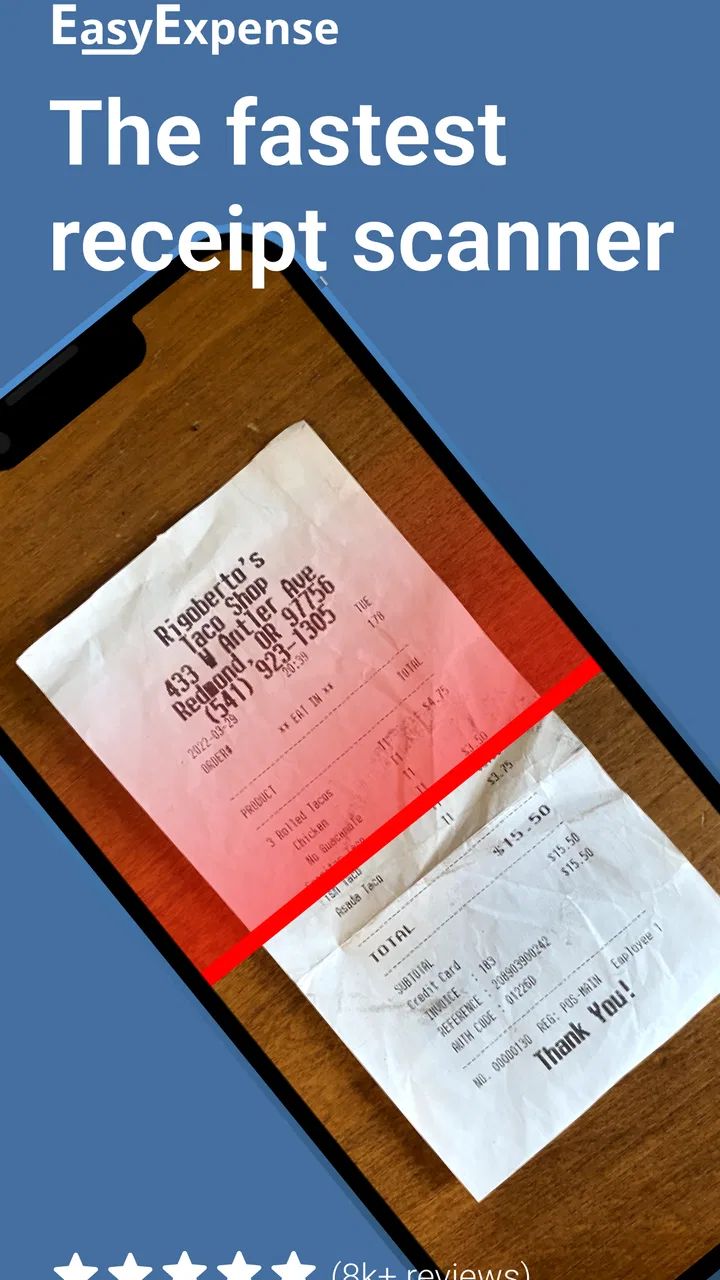
The first step is straightforward: I pay for a business item and open the app before the receipt disappears into a pocket, bag, or email inbox. A receipt can be photographed and processed through the smart scan, giving me a quicker starting point than typing every line manually. This is where the app feels more practical than a plain notes app. A note can store a picture, but it does not begin with the same expense-focused purpose.
You May Also Like

 Blood Strike: 2.5 Anniversary
Blood Strike’s Loadouts Turn Every Drop Into a Tactical Gamble
A close look at Blood Strike’s custom loadouts: how fast access to signature weapons reshapes its battle royale rhythm, rewards preparation, and narrows the gap between fights.

 Pandora - Music & Podcasts
Pandora’s Music Is Easy to Start, but Harder to Recover
Pandora’s strength is its low-effort path from a seed to a station. Its weak spot is how much confidence it asks you to place in connection, setup, and quiet recovery.

 8 Ball Pool
 Is Built on Rivalries, Rematches, and Routine
A close look at the rivalries, rematches, shared routines, and unanswered safety questions that turn a quick pool match into a persistent mobile community.

 Samsung Music
’s Quiet Strength Is Playing What You Already Own
Its reach comes less from spectacle than from dependable access to a personal library. That simplicity is both the app’s strongest retention engine and its ceiling.

 AccuWeather: Weather Radar
AccuWeather Review: A Quick, Clear Forecast for Everyday Decisions
For everyday plans, the best forecast is the one you can understand quickly. AccuWeather makes rain timing, radar, and local conditions easy to act on, with a few trade-offs.

 Hill Climb Racing
Why Hill Climb Racing Still Turns Crashes Into One More Run
A tiny car, a bumpy hill and one more upgrade: Hill Climb Racing keeps resurfacing because its simple chaos makes every near-miss feel personal.
More From Our News Desk



My advice is to scan as soon as possible, while the context is obvious. A receipt from a café may look self-explanatory in the moment, but a week later I may not remember whether it was a client meeting, a team purchase, or a personal expense. Capturing it immediately lets the receipt and the reason for the purchase stay together. The AI scan can reduce entry work, but I still treat its result as a draft that deserves a quick check.
That checking habit matters. Printed receipts vary widely: some are sharply formatted, while others use faint ink, cramped totals, unusual date layouts, or long product descriptions. A scan can make the first pass faster without making judgment unnecessary. I look at the merchant, date, total, and any category or note that will matter when I review the expense later. The best workflow is not “scan and forget”; it is “scan, verify, and move on.”
The useful middle step: adding context before memory fades
A receipt image alone is rarely enough for a business record. The important detail may be why the purchase happened, who needs to see it, or whether it belongs to a particular project. I use the moment after scanning to add that context. A short note such as “materials for weekend installation” is more useful than relying on the store name alone. This is one of the less obvious advantages of a dedicated expense app: the record can be built around the business purpose, not just the payment.
For recurring work, I would use a consistent naming habit. For example, I might begin notes with a client or project name, then add the reason for the purchase. Consistency makes later review faster and gives a teammate a better chance of understanding an expense without sending me a message. The app does not remove the need for a sensible process, but it gives that process a convenient home.
There is also a practical trade-off between speed and precision. If I am standing outside a shop, I want the shortest possible entry. If I am preparing records for reimbursement or a business review, I want to spend another moment checking the details. Receipt Scanner: Easy Expense works best when I allow those two modes instead of expecting every scan to be equally complete.
Where teamwork changes the handoff
The app is not limited to a single person keeping private spending notes. Its business focus includes managing expenses as a team, which changes what happens after an expense is captured. A worker can record a purchase close to the moment it happens, while another person can later review the business record. That handoff is valuable for small companies where the person holding the receipt is not the person responsible for organizing expenses.
A realistic example would be a small repair business. I buy replacement parts on the way to a job, photograph the receipt in the parking lot, check the scanned amount, and add the job reference while the details are still clear. Later, the person handling the business records can review that expense without waiting for me to return to the office or search through a glove compartment. The outcome is not just a digital copy of paper; it is a more traceable connection between the purchase and the work.
Team workflows still depend on discipline. I would not assume that a scanned receipt automatically explains who approved a purchase or why it should be billed to a customer. Those decisions need clear notes and an agreed routine. The app can make the handoff less fragile, but it cannot replace a team’s rules about categories, review timing, or responsibility.
This is also where the app may suit a small group better than a large finance department. A compact team can benefit from a shared, understandable expense process without forcing every person into complex accounting software. A larger organization with formal approval chains, advanced reporting requirements, or tightly controlled accounting integrations may need a more specialized system instead.
Turning captured entries into a review routine
Once several expenses are stored, the real value comes from review. I would set aside a regular moment to look through recent entries, correct anything the scan misunderstood, and check that each purchase has enough context. Doing this in small batches is easier than reconstructing an entire month from a pile of paper. The app’s role is to make those small batches possible.
There is a subtle benefit to separating capture from review. When I am traveling between appointments, I only need to preserve the receipt and its basic meaning. When I have time later, I can concentrate on accuracy. That division prevents the common failure where I postpone entry because I do not have time to complete a perfect record immediately. A quick capture is better than a lost receipt, provided I return to it.
I also find that this workflow helps expose duplicate effort. Without a central expense record, one person may photograph a receipt, another may enter it into a spreadsheet, and a third may ask for the same document again. A shared expense process can reduce those repeated handoffs. The gain is less about flashy automation and more about making the next person’s job clearer.
How it compares with familiar alternatives
The usual alternative is a spreadsheet. Spreadsheets are flexible and can be excellent for people who want complete control over columns, formulas, and custom summaries. They are less convenient at the point of purchase, especially when the receipt is still on paper and I am using a phone one-handed. Receipt Scanner: Easy Expense has a more direct path from camera capture to expense entry, while a spreadsheet gives me more freedom after the data is already organized.
Another alternative is a notes app or a folder of receipt photos. That approach is quick at first, but it tends to create a retrieval problem. A photo may preserve evidence without making it easy to understand the expense later. The dedicated workflow here is better suited to someone who wants the receipt to become part of an expense record rather than remain an isolated image.
Full accounting platforms are the opposite trade-off. They can be more appropriate when a business needs broad financial controls, detailed bookkeeping, or established professional workflows. They may also feel excessive for a freelancer who mainly needs to capture purchases and keep business spending organized. I see this app as a practical middle ground: more purposeful than a gallery or note, less intimidating than a complete accounting suite.
That middle position is important when choosing it. If I only record a few expenses each month and already have a reliable manual system, switching may not save enough effort. If I need formal financial management beyond expense capture and team organization, I would look at a more comprehensive business platform. The app makes the most sense when receipts are frequent enough to become a nuisance but the business does not need heavy accounting machinery.
Small details that make the workflow work better
My first tip is to photograph the entire receipt in good light and keep the paper flat. This sounds obvious, but it directly affects how much correction is needed afterward. A rushed image with a folded corner or missing total creates friction later, defeating the point of quick capture.
My second tip is to use notes for information that will not be obvious from the receipt itself. A merchant and total may identify what was bought, but not the customer visit, project, or business reason. That extra sentence is especially useful when another person receives the record later.
My third tip is to treat the review queue as a handoff, not a storage bin. If I scan expenses and never revisit them, I have simply moved the clutter from a wallet into an app. A weekly check, even a short one, keeps uncertain entries from becoming a larger problem.
A fourth useful approach is to decide in advance which purchases deserve immediate attention. High-value items, client-related expenses, and anything likely to be reimbursed should be checked right away. Small routine purchases can wait for a batch review. This prioritization keeps the workflow fast without treating every scan as equally low-risk.
For teams, I would also agree on a simple note format before everyone starts using the app. The exact format matters less than consistency. If one person writes a project name, another writes a customer name, and a third writes nothing, the shared record becomes harder to interpret. The app can support the handoff, but the team has to make the language predictable.
What may interrupt the smooth experience
The biggest limitation is that smart scanning should not be confused with perfect scanning. Receipts are messy documents, and any automated reading can need correction. I would be cautious about accepting a result without checking the total, especially when the expense will be reimbursed or passed to a client. The time saved during entry can be lost if an unnoticed mistake reaches the final review.
There is also a behavioral weakness: the app cannot make an unrecorded purchase appear. If I leave every receipt in my car and promise to enter them later, the workflow becomes dependent on memory. This is why immediate capture is more important here than advanced organization. The app is most effective when it becomes part of the payment routine.
People who dislike adding notes or reviewing automated entries may find the process less effortless than the store summary suggests. The scan can shorten the work, but responsible expense tracking still involves checking and classifying. That is a fair trade for a cleaner record, but it is worth understanding before relying on it.
The free starting price makes it easy to try without committing money upfront. At the same time, in-app purchases range from under a dollar to well over a hundred dollars per item, so I would examine the available options carefully before paying for anything. I would begin with the free experience, test it against my actual receipt routine, and only then decide whether an added purchase fits my needs.
Compatibility is also worth checking before installation: the current version is 5.52.0 and requires Android 7.0 or later. On a supported phone, the app is positioned as an everyday business utility rather than a specialist tool. Its Everyone age rating also makes it broadly approachable for personal and workplace use, although the business records themselves should still be handled thoughtfully.
Who I would recommend it to
I would recommend Receipt Scanner: Easy Expense to freelancers, contractors, mobile workers, and small teams that regularly collect paper receipts and need a simple way to keep them connected to business activity. It is particularly useful when the person making the purchase is away from the office and someone else later needs to review the expense.
I would be more cautious about recommending it to a person looking for complete bookkeeping, payroll, invoicing, or formal financial reporting. Those needs go beyond the app’s central strength. I would also skip it if my existing spreadsheet is already fast, organized, and consistently maintained; adding another tool only helps when it removes a real point of friction.
The app’s reception suggests that many people find its approach useful: it holds an average rating of 4.8 from roughly 17 thousand ratings, with more than 500 thousand installs. Those figures do not replace personal testing, but they fit my own conclusion that the concept is easy to understand and broadly practical. The developer has kept the focus clear instead of burying receipt capture under unrelated business features.
My final workflow verdict
My preferred routine is simple: capture the receipt immediately, let the smart scan create a starting record, check the important fields, add the business reason, and review the entry later as part of a small batch. If another person needs to act on it, I make the note clear enough that the handoff does not depend on a follow-up message. That process turns a small purchase into an accessible business record.
The app is strongest when it prevents receipts from becoming tomorrow’s problem. It does not eliminate judgment, team habits, or financial review, and it is not the right replacement for full accounting software. But for the common gap between a paper receipt and an organized expense list, it offers a focused and approachable solution. I would try it first if my current system is a wallet full of paper, a camera roll of unexplained images, or a spreadsheet I rarely update.
After its free starting point, the decision comes down to fit rather than feature collecting. If I need quick mobile capture, AI-assisted receipt entry, and a clearer handoff between a purchaser and a small business team, this app earns a place in my routine. If I need deep financial controls or already have a disciplined system, another option may serve me better. For everyday expense tracking, though, Receipt Scanner: Easy Expense makes the path from purchase to review noticeably easier.
FAQs for Receipt Scanner: Easy Expense
01What is Receipt Scanner: Easy Expense and how does it work?
Receipt Scanner: Easy Expense is a mobile application designed to simplify the process of managing and tracking your expenses. By using your phone's camera, it scans and digitizes your paper receipts, automatically categorizing them for easy access and analysis. This makes it effortless to keep track of your spending habits and manage budgets effectively.
02Is Receipt Scanner: Easy Expense compatible with both Android and iOS devices?
Yes, Receipt Scanner: Easy Expense is available for both Android and iOS platforms. You can download it from the Google Play Store for Android devices and the Apple App Store for iOS devices, ensuring compatibility across a wide range of smartphones and tablets.
03Does Receipt Scanner: Easy Expense offer any integration with accounting software?
Yes, Receipt Scanner: Easy Expense offers integration with popular accounting software such as QuickBooks and Xero. This feature allows users to seamlessly export their digitized receipts and expense reports, streamlining their financial management and ensuring accurate record-keeping for personal or business use.
04Are there any subscription fees or in-app purchases in Receipt Scanner: Easy Expense?
Receipt Scanner: Easy Expense offers a free version with basic features, but users can opt for a premium subscription to unlock advanced functionalities such as unlimited scanning, enhanced categorization options, and integration with accounting software. Pricing details are available in the app stores, providing options to suit different needs and budgets.
05How secure is my data when using Receipt Scanner: Easy Expense?
The app prioritizes user privacy and data security by employing industry-standard encryption methods to protect your information. Additionally, Receipt Scanner: Easy Expense adheres to strict data protection regulations, ensuring that your scanned receipts and personal data remain confidential and secure while using the app.
Pros
- Intuitive interface for quick navigation.
- Accurate OCR for seamless receipt capture.
- Supports multiple currencies for global use.
- Automatic categorization of expenses.
- Integrates with major accounting software.
Cons
- Limited free version features.
- Occasional OCR errors with faded receipts.
- No offline mode available.
- Requires frequent updates for new features.
- Subscription model may be costly for some.

Receipt Scanner: Easy Expense
Gallery